
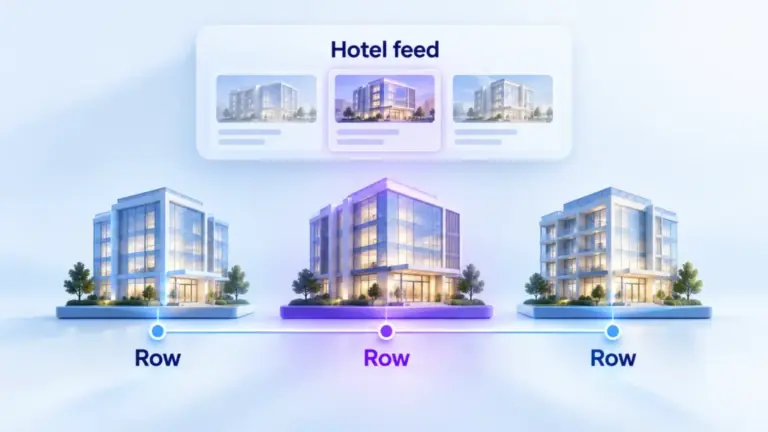
ChatGPT Ads hotel property feeds let hotels and travel advertisers send their properties to Ads Manager. Each row describes one property. OpenAI calls it a limited beta, open only to approved pilot advertisers. The feed has its own format, separate from the product feed used by stores. This guide covers who can use it, how the file works and the checks that stop rows being rejected.
Every platform fact links to OpenAI’s documentation. Where we give our own view, we say so.
What a ChatGPT Ads hotel feed is
A hotel feed describes properties, not rooms, offers or dated stays. Each row is one hotel, with its name, description, landing page, images and location. Optional columns add a brand, a static starting price, a star rating, a category and guest ratings.
| Hotel feed | Product feed |
|---|---|
| One row per property | One row per product or variant |
| The hotel_property_v1 format | OpenAI’s product feed specification |
| Full snapshots only | Full uploads, plus the Delta API for quick changes |
| Limited beta, approved pilot advertisers only | Available to advertisers with a feed |
Don’t use the product feed schema for a hotel feed. OpenAI says the two formats are separate, and the field definitions may change during the beta.
Who can use it
OpenAI says hotel property feeds are available only to approved pilot advertisers, and that this isn’t an open beta. You need an ad account approved for the beta and permission to manage its feeds. Setting up SFTP also needs permission to manage feed credentials.
If the Hotels option doesn’t appear in your account, OpenAI says to contact your OpenAI account team. Our view: travel brands should prepare the file anyway. A clean property list with good images and pages is useful for every channel, and you’ll be ready if access opens.
How to create a hotel feed in Ads Manager
OpenAI lists five steps.
- Open Ads Manager and select the approved ad account.
- Open Feeds, select Create Feed and choose Hotels as the inventory type.
- Name the feed and choose how to send the file: Upload CSV or TXT, Hosted URL or SFTP connection.
- Create the feed and finish the setup for the method you chose.
- Check Upload History for processing status and row diagnostics, then fix rejected rows and upload a corrected full snapshot.
Keep one feed and refresh it with new snapshots. Don’t create a new feed for every update, and keep each hotel_id the same between uploads.
Through the Ads API, you create the feed with the hotel inventory type and schema profile, then set up SFTP. Hosted URLs and browser uploads are Ads Manager workflows only.
The file format
Send a full snapshot as a UTF-8 CSV or tab-delimited TXT file. Most values are ordinary columns, but some must be JSON inside a cell, and some use flattened column names.
| Value | How it’s written |
|---|---|
| Scalar fields | Ordinary columns, such as hotel_id, name or base_price |
| Images | A JSON array in the images cell |
| Location | Flattened columns, such as location.address.city |
| Neighborhoods | A JSON array in the location.neighborhoods cell |
| Guest ratings | Numbered, flattened columns: guest_rating[0].score and so on |
| Ads metadata | A JSON object in the ads_metadata cell |
Don’t add top-level columns called location or guest_ratings. In CSV, wrap any cell containing commas, quotation marks or line breaks in double quotes, and double any quotes inside it.
Required fields
Every row needs these fields, with valid values, even rows marked as archived.
| Column | Rules |
|---|---|
| hotel_id | A stable, case-sensitive ID, up to 100 characters |
| name | The display name, up to 150 characters |
| description | A static description, up to 5,000 characters |
| url | The property’s landing page, as a full web address |
| images | 1 to 20 images, as a JSON array. The first valid image is the main one |
| location.address.city | The city, up to 100 characters |
| location.address.country_code | Two-letter country code, such as US |
| location.coordinates.latitude | A number from -90 to 90 |
| location.coordinates.longitude | A number from -180 to 180 |
The country code describes where the property is, not where you want to show ads. Ad locations are set on the campaign. Landing pages and images must be publicly accessible.
Optional fields worth adding
| Column | What it adds | Rules |
|---|---|---|
| brand | The hotel or chain brand | Up to 70 characters, separate from your advertiser name |
| base_price | A static starting price | An amount and currency code, such as 149.00 USD |
| star_rating | The hotel’s star rating | 1.0 to 5.0 in half steps |
| category | One hotel category | Up to 200 characters |
| location.neighborhoods | Up to 20 neighborhood names | A JSON array |
| guest_rating[n].* | Up to 20 rating groups | Each needs system, score, maximum score and reviewer count |
| ads_metadata | Your own labels | Up to 50 entries, as a JSON object |
| is_ads_eligible | Whether to process the property for ads | true or false |
The base price isn’t a quote. OpenAI says it’s a static starting price, not a price for particular dates or a statement of availability. We’d set it to a price you offer today, because the ad policy bans unfounded pricing claims.
Set is_ads_eligible to true for every property you want to advertise. OpenAI notes that eligibility doesn’t guarantee delivery: properties must still pass review and serving requirements.
Images
The images cell holds a JSON array of up to 20 image objects. Each needs a url and can carry up to 20 tags. Invalid objects are dropped if at least one valid image remains, and a row with no valid image is rejected. Duplicate image addresses are removed.
We’d put your strongest exterior or room photo first, since the first valid image is the main one. OpenAI’s general creative guidance asks for simple, relevant images that match the message.
Guest ratings
Guest ratings are optional, and you can include up to 20 groups. Each group uses four numbered columns, starting at zero: rating_system, score, max_score and number_of_reviewers. Every field in a group must be filled, and a fully blank group is ignored.
The maximum score can be up to 100. A score of 8.8 out of 10 from 425 reviewers is written as four columns in the guest_rating[0] group.
Preparing the data
This is how we’d prepare a group with many properties. Most of the data already exists in a booking engine, a property management system or a channel manager. The work is mapping it to OpenAI’s columns.
| Feed column | Usual source |
|---|---|
| hotel_id | Your internal property code, which should never change |
| name, description, brand | Your website or content system |
| url | The property’s page on your own site, not a third-party listing |
| images | Your photo library, on public addresses |
| location fields | Your property records, with coordinates checked on a map |
| guest ratings | The review systems you already display |
Check the coordinates before upload. A pin in the wrong city sends the right ad to the wrong conversation.
What’s not supported in the beta
OpenAI lists what the beta leaves out. Columns outside the format aren’t read at all.

| Not supported | What to know |
|---|---|
| Rooms, offers and dated stays | One row describes one property |
| Dynamic rates and date availability | base_price is static |
| Partial updates and the Delta API | Send a full snapshot every time |
| XML files | CSV or tab-delimited TXT only |
| Columns such as room_id, checkin_date, sale_price, tax or phone | They aren’t ingested |
| Top-level custom_label columns | Put labels inside ads_metadata instead |
Checking the upload
Check Upload History after every snapshot. A completed transfer doesn’t mean every property was accepted. File transfer and processing are separate. Check Upload History in Ads Manager for processing results and row diagnostics, then fix rejected rows before the next full snapshot.
For SFTP, put the file directly in the root folder, not a subfolder. Changing SFTP credentials replaces the old method, so update any automated uploads when you do.
An upload checklist
- Every required field filled on every row, including all four required location columns.
- images, location.neighborhoods and ads_metadata written as valid JSON.
- Guest ratings as complete numbered groups, not a single JSON cell.
- Public landing pages and images, with the sample addresses replaced by your own.
- is_ads_eligible set to true for properties you want to advertise.
- base_price treated as a static starting price.
- hotel_id values unchanged since the last upload.
Where hotel feeds fit in a travel campaign
Hotel feeds suit groups with many properties; single hotels can use standard ads. That’s our view, and here’s why. Travel and experiences are among the consumer categories OpenAI says ads focus on in the early period. Hotel feeds suit groups and chains with many properties, where writing an ad for each one doesn’t scale.
Single properties can run standard ads now, with context hints that describe the stay. Our context hints guide explains how to write them. Our ad examples include a city break, and our context hint examples include a boutique hotel. Retail catalogs use the product feed instead. Once a feed is live, our reporting guide covers how to read product-level results.
Questions
Can any hotel use ChatGPT Ads hotel feeds?
Not yet. OpenAI says hotel property feeds are available only to approved pilot advertisers in a limited beta. If the Hotels option doesn’t appear when you create a feed, contact your OpenAI account team. Other hotels can still run standard ChatGPT Ads.
Can I use my product feed for hotels?
No. OpenAI says hotel feeds use their own hotel_property_v1 format, and you shouldn’t use the product feed schema for them. Each row is a property, not a product, with different required fields such as coordinates. Keep the two feeds separate, each in its own format.
Does the feed show live room prices?
No. The beta doesn’t support dynamic rates, room types or availability for particular dates. The optional base_price is a static starting price. Set it to a price you offer, and keep it current. The landing page can then show live rates.
How do I update the hotel feed?
Upload a new full snapshot to the same feed. The beta doesn’t support partial updates or the Delta API. Keep each hotel_id stable between uploads, and check Upload History after each one. Don’t create a new feed for each update.
Which file formats are accepted?
UTF-8 CSV or tab-delimited TXT. You can upload the file in Ads Manager, give it a hosted address or send it over SFTP. Through the API, hotel feeds use SFTP. XML isn’t supported, so convert any XML export from your booking system first.
Will every property in the feed get ads?
No. Eligibility doesn’t guarantee delivery. Each property still has to pass review and serving requirements, and campaign settings decide where ads can appear. Check Upload History for rejected rows first.